Fanvil IP Phones in Pakistan: The Video-First Office of 2026
Fanvil IP phones in Pakistan are quietly rewriting how offices meet, collaborate, and close deals. The desk phone used to be a voice-only relay; in 2026 it is a video terminal, a collaboration hub, and often the tidiest camera in the room. As hybrid work settles into the routine of Lahore, Islamabad, and Karachi teams, businesses are asking a sharper question — why juggle a laptop, a webcam, and a headset when one purpose-built device does it all?
This article takes a video-first angle. Instead of listing every handset, it looks at how smart video phones change meetings, what to check before you buy, and where a flagship device earns its place on a director’s desk.
From Voice to Video: Why the Shift Matters
Voice calls still dominate day-to-day work, but the decisions that move a business — hiring, closing, resolving a tense complaint — increasingly happen on video. A dedicated video phone boots in seconds, never fights a laptop for the webcam, and frees the computer for the spreadsheet you are actually discussing.
That reliability is the point. A meeting that starts on time, every time, with clear HD audio and a steady picture, signals competence to clients before you say a word. For teams that already trust their reputable service experts to keep the rest of their stack running, a hardware video endpoint is the natural next step.
What a Smart Video Phone Actually Replaces
- A clip-on webcam that wobbles and unplugs itself.
- A separate speakerphone puck for group calls.
- The five-minute scramble to find the meeting link on a laptop.
- A second charger and a tangle of USB cables on the desk.
Choosing Fanvil IP Phones in Pakistan: A Practical Checklist
Before you pick a video model, walk through the same questions our deployment engineers ask every client. They separate a phone that wows in a demo from one that performs on a Monday morning.
- Camera quality — look for a sensor tuned for low light, since many offices are lit for screens, not cameras.
- Codec support — H.264/H.265 for video and G.722 for wideband voice keep bandwidth sane.
- Screen and touch — a large touchscreen turns transfers and conferences into taps, not codes.
- Android platform — an open OS lets you run collaboration apps directly on the phone.
- Connectivity — Gigabit, Wi-Fi, Bluetooth, and USB give you options as your setup grows.
Spotlight: The Flagship Choice
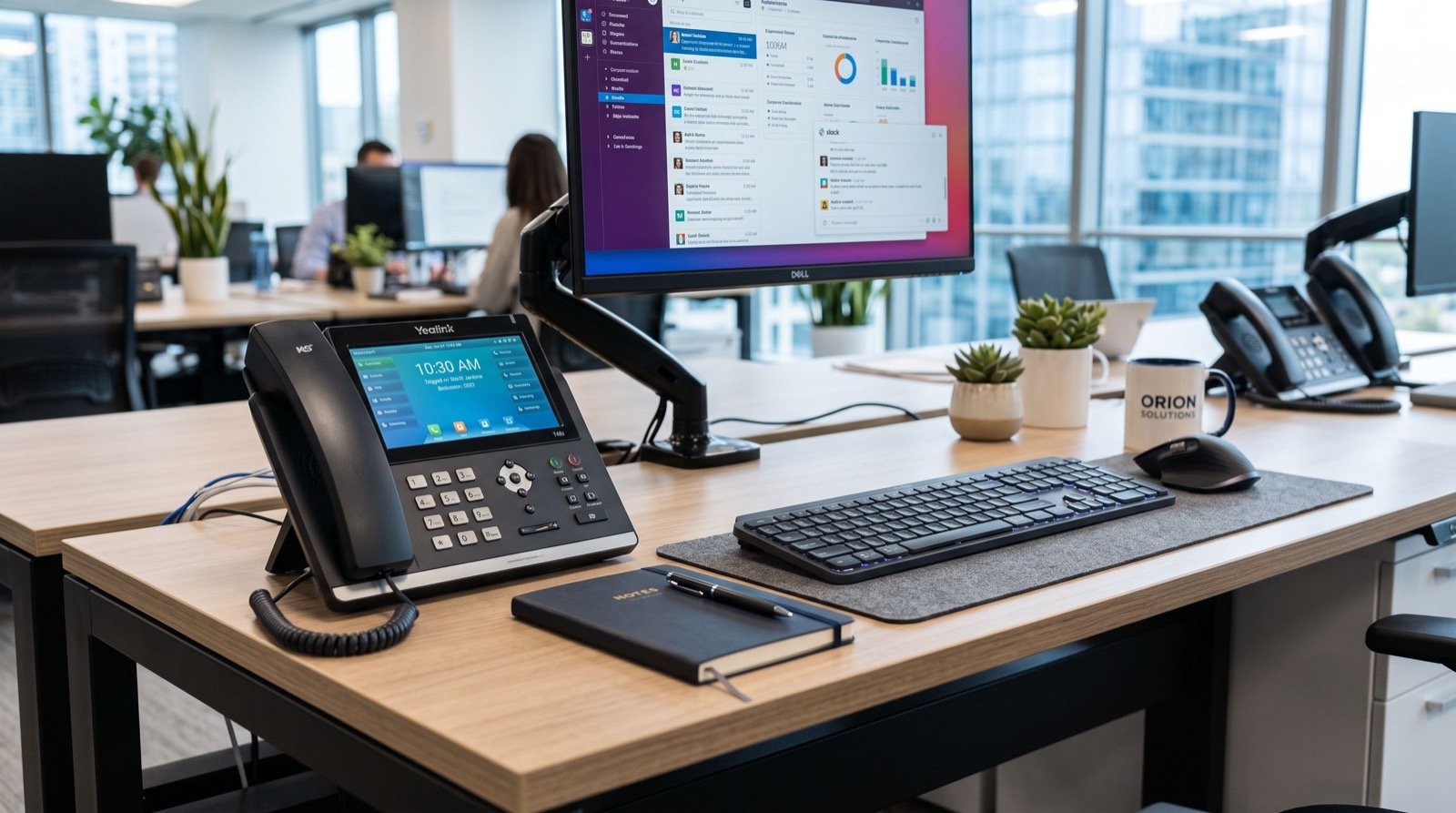
At the top of the range, the Fanvil V67 Flagship Smart Video Phone is built for exactly this video-first world. It brings a bright colour touchscreen, an integrated camera, HD audio, and a smart platform that runs collaboration apps natively — so a regional manager can join a video standup, transfer a client to accounts, and check a shared dashboard without ever touching a laptop.
Voice-Only vs Smart Video: Which Desk Needs What?
| Need | Voice-only IP phone | Smart video phone |
|---|---|---|
| Built-in camera | No | Yes |
| Touchscreen apps | Rare | Yes |
| Best fit | Support, back office | Managers, meeting rooms |
| Meeting join time | N/A | Seconds, no PC |
| Relative cost | Lower | Higher, higher value |
How Much Bandwidth Does Video Calling Need?
Video is heavier than voice, but modern codecs keep it manageable. A single HD video call typically uses 1 to 2 Mbps in each direction, while wideband voice sips around 100 Kbps. The practical takeaway is simple — a business fibre plan handles a full floor of video endpoints, provided you prioritise real-time traffic on the router.
The video and audio standards these phones rely on are open specifications maintained by the Internet Engineering Task Force, which is why devices from different vendors interoperate so smoothly; you can read the underlying protocols at the Internet Engineering Task Force. That open foundation is a big reason SIP hardware has become a safe long-term bet in Pakistan.
Getting Clean Video Every Time
- Prioritise voice and video packets with a QoS rule so a big download never freezes a call.
- Use wired Gigabit for fixed desks; reserve Wi-Fi for phones that genuinely move.
- Position the phone so a window sits in front of the speaker, not behind them.
- Keep firmware current to gain codec and security improvements.
Rolling Out Across Multiple Cities
One of the strongest arguments for Fanvil IP phones in Pakistan is multi-site consistency. A company with offices in three cities can run one hosted PBX, auto-provision every handset from a central template, and give every employee the same four-digit dialling experience. A new hire in Faisalabad plugs in a pre-configured phone and is live in minutes. To see the full range and current models, explore the lineup of Fanvil IP Phones in Pakistan before you standardise on a template.
Centralised management also tames support. Firmware, security patches, and dial-plan changes push out from one dashboard, so a small IT team keeps a large fleet healthy without travelling between branches. That is the operational payoff that turns a hardware purchase into a lasting productivity gain.
Frequently Asked Questions
Do I need special software to make video calls?
Smart video phones run SIP video natively and, on Android-based models, can install collaboration apps directly. For standard calls between endpoints on the same platform, no extra software is required beyond your PBX.
Will a video phone work with my current PBX?
If your PBX speaks SIP — and almost every modern one does — the phone registers as a standard extension. Video simply adds a media stream that compatible endpoints and bridges negotiate automatically.
Is the camera secure?
Reputable business models include a way to disable the camera and support encrypted signalling and media. Keep firmware updated and change default passwords, and the endpoint is as secure as any managed device on your network.
Are smart video phones worth it for small teams?
For any desk that runs frequent client or interview calls, yes. The time saved on setup and the professional impression on video usually justify the cost within the first few months of use.
Measuring the Return on a Video Endpoint
Finance teams rightly ask whether a smart video phone pays for itself. The honest answer is that it does when the desk in question meets people. Count the hours a manager spends on client calls, interviews, and cross-branch standups, then multiply the minutes lost each time a laptop webcam misbehaves or a meeting starts late. Those small delays add up fast across a year.
A dedicated endpoint removes that friction entirely. It is always on, always pointed at the speaker, and always one tap from the meeting. For a revenue-facing role, a single smoother client presentation can outweigh the hardware cost. For everyone else, a reliable voice handset remains the sensible, economical choice — which is why the best fleets deliberately mix the two.
Conclusion
Video-first working is no longer a big-company perk. With the right Fanvil IP phones in Pakistan, a mid-sized team in 2026 gets instant, professional video meetings, one tidy device per desk, and central management across every city it operates in. Choose a smart flagship for the desks that meet clients, keep voice-only handsets where they fit, and let a trusted partner tie it all together.